
The Roadmap
You asked for the one field that would make the pipeline make sense. It went to a product team somewhere else. That was two years ago.
KickSide is an instance you own, where the software your business needs arrives when you ask for it. Claude Code, Cursor or any agent you like builds it, it's checked before it's let in, and it runs on your data, which never leaves your machine.
Your instanceYour data stays putSource you can readRuns even if we don'tcurl -fsSL https://hub.wippy.ai/install.sh | bashwippy run kickside/kickside -c --profile quickstartThen open localhost:8085 and sign in. The install guide has the first-login steps.
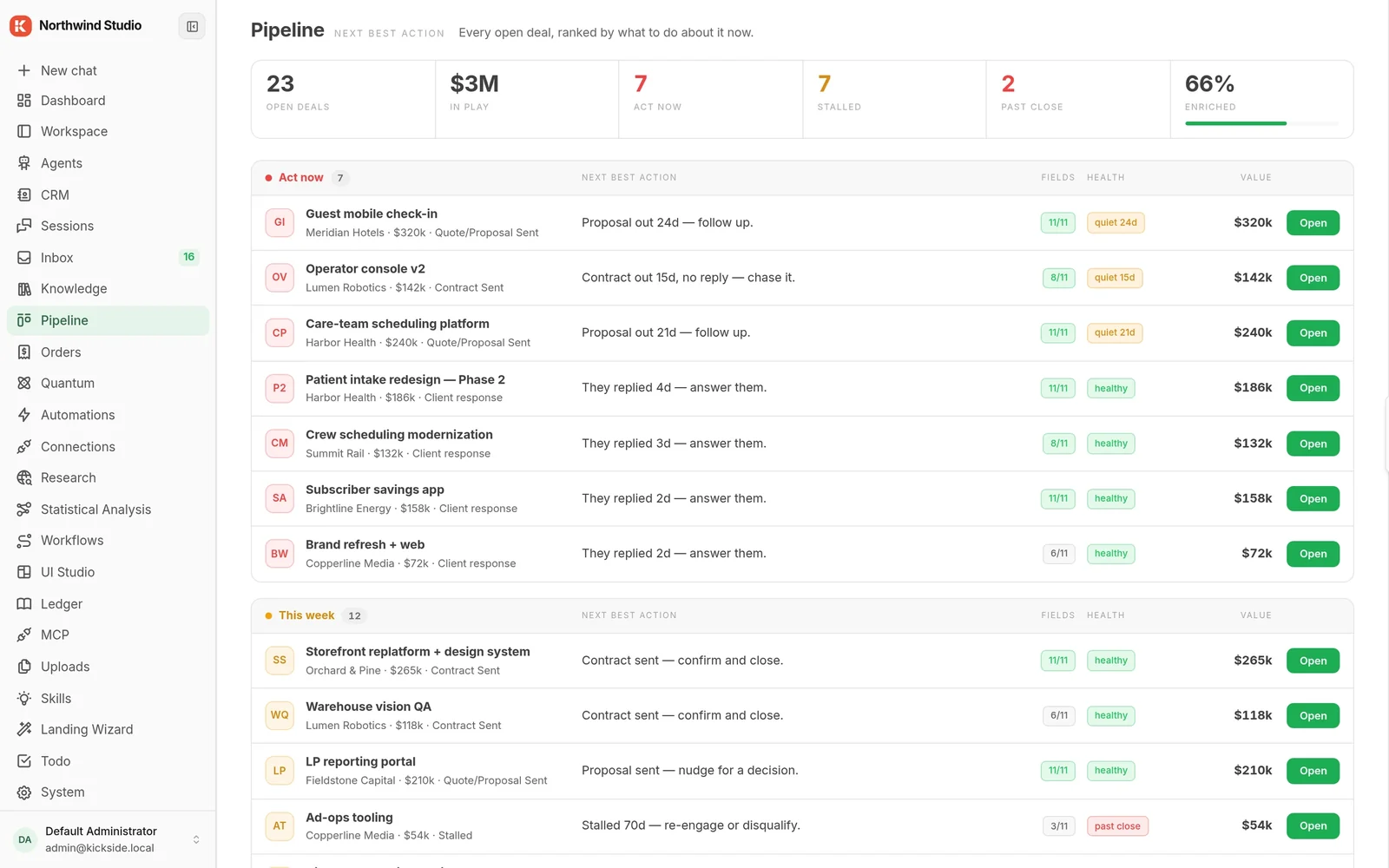
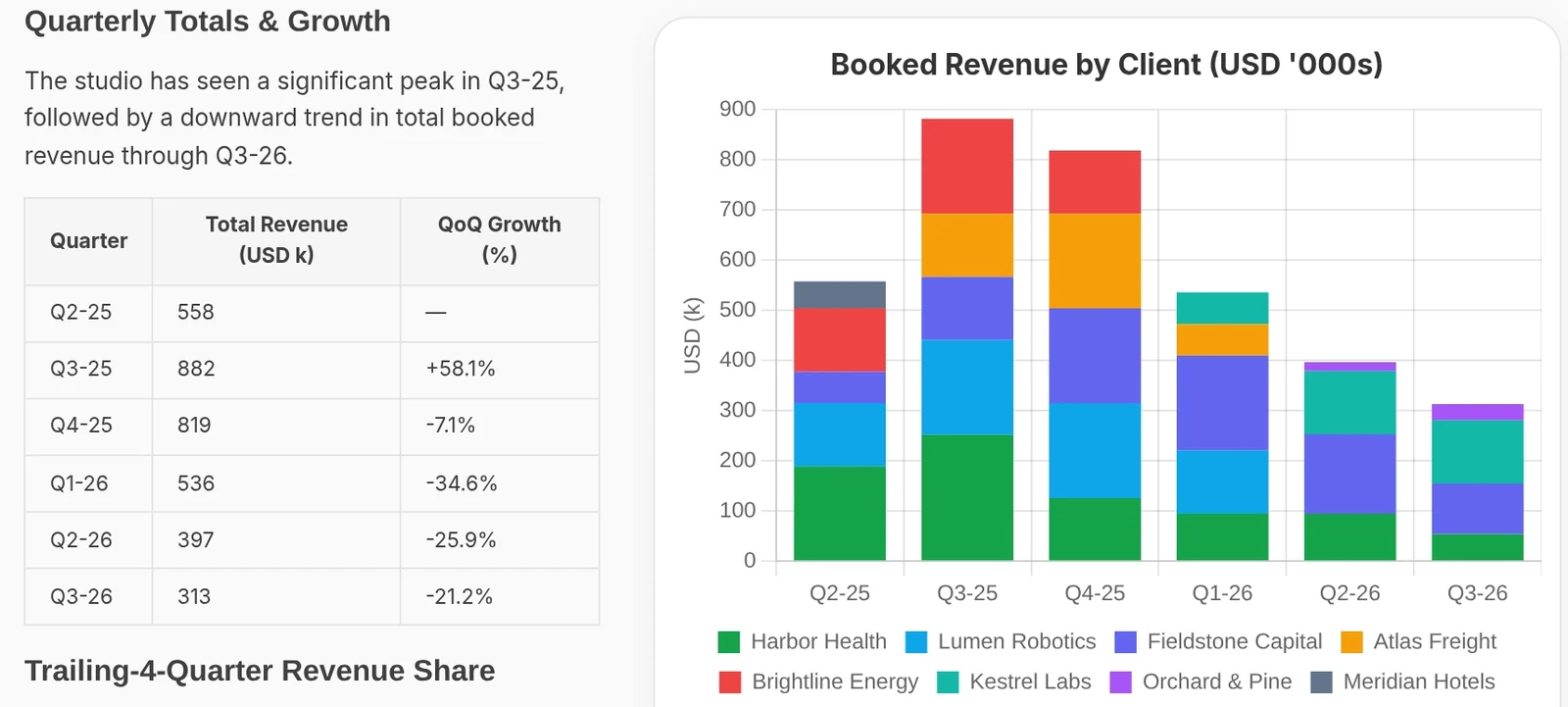
So you stopped asking. You changed how the company works to match the tools, and the list of things you actually need just sits there.
You asked for the one field that would make the pipeline make sense. It went to a product team somewhere else. That was two years ago.
You hired someone, and every tool you run sent an invoice for it. The bill grows with the team, and the answer stays the same.
So you built it yourself with AI. It worked for a week. Then the chat closed, a key expired, and it died on a laptop. The work was real. It just had nowhere to live.
“It created the tool to analyze accounts by YTD sales, and now that tool is available for future use.”
“This is better than the ChatGPT demo where it attempts to recreate the code every time.”
“First try took maybe 2 minutes and didn't miss a single detail, including child rows.”
“I just thoroughly tested the import checklist workflow and it is excellent. Best quality workflow I've seen so far.”
You made something useful with Claude, Cursor or an agent, and right now it lives on a laptop. You want it running on real data, for people who aren't you, next year.
Start free. Self-hosted, nothing to sign.Install It, Free
The work lives in a CRM, a dozen spreadsheets and people's inboxes, and you carry it between them by hand. Every automation anyone tries dies at the first integration, so nothing compounds.
Start free on your own copy. Bring us in when it needs to span teams.Get a Live Demo
You've built the same client system four times and billed hours each time. Build it once as a module and install it into every client's own instance, with your name on it.
Not a pricing plan: a partner program.How Partnering Works
Because a coding agent is the best way to build a thing and the worst place to keep one. It has no shared data underneath it, no record of what it did, and no way for anyone else to use the result.
KickSide is where it lands. Use the agent you already like: Claude Code, Cursor, Codex, Claude Desktop or any harness that speaks MCP. Or skip the terminal and ask an agent inside KickSide. Either way it builds inside your copy instead of on your laptop: new screens, workflows, connections to the tools you already pay for, or whole modules of your own. Ask it for a lead scorer and it scores the leads already in your CRM, not a sample spreadsheet. Ask for a follow-up tracker and it reads the deals your team is actually working, inside the permissions they already have.
claude mcp add --transport http kickside <your address> --header "Authorization: Bearer <token>"The tenth thing you add works with the first nine without any wiring, because they all stand on the same ground.
Any agent can build it. Your KickSide is where it lives.
Each one carries its own copy of the data and its own idea of the rules. The next one is another island.The tenth arrives already able to read what the first nine wrote. Nobody wires anything together.
Nothing has to be connected, because nothing was ever apart.
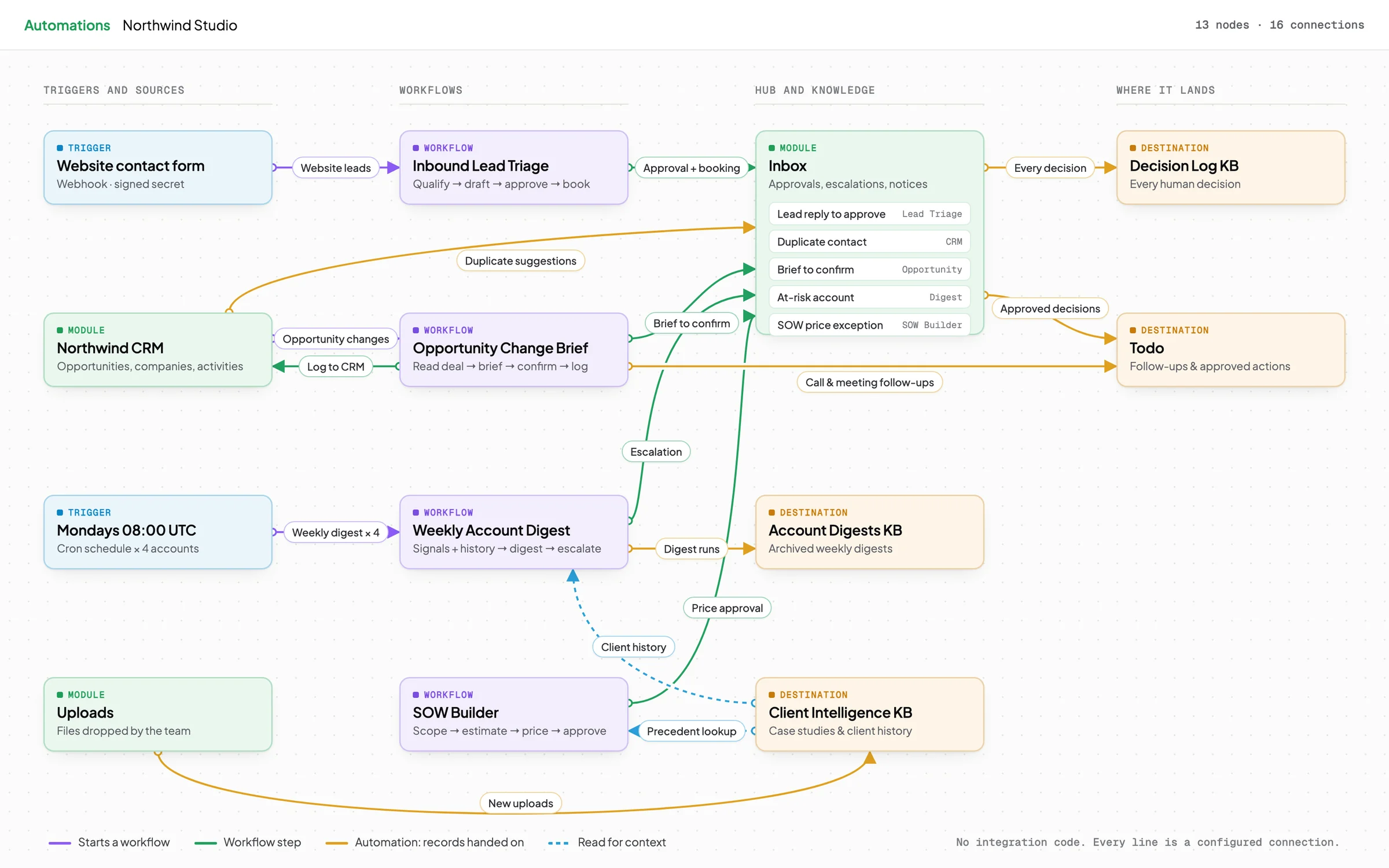
Day one covers what most companies need: contacts, deals, an approval inbox, documents and AI agents. Need something else? Ask for it, and it arrives as a module: a ready-made piece of software that plugs into the same data and the same rules, so it works with everything already there. Switch the groups below on and off to see what changes.
Every change above is one recorded install, applied live. Remove a group and its screens, tools and permissions leave with it.
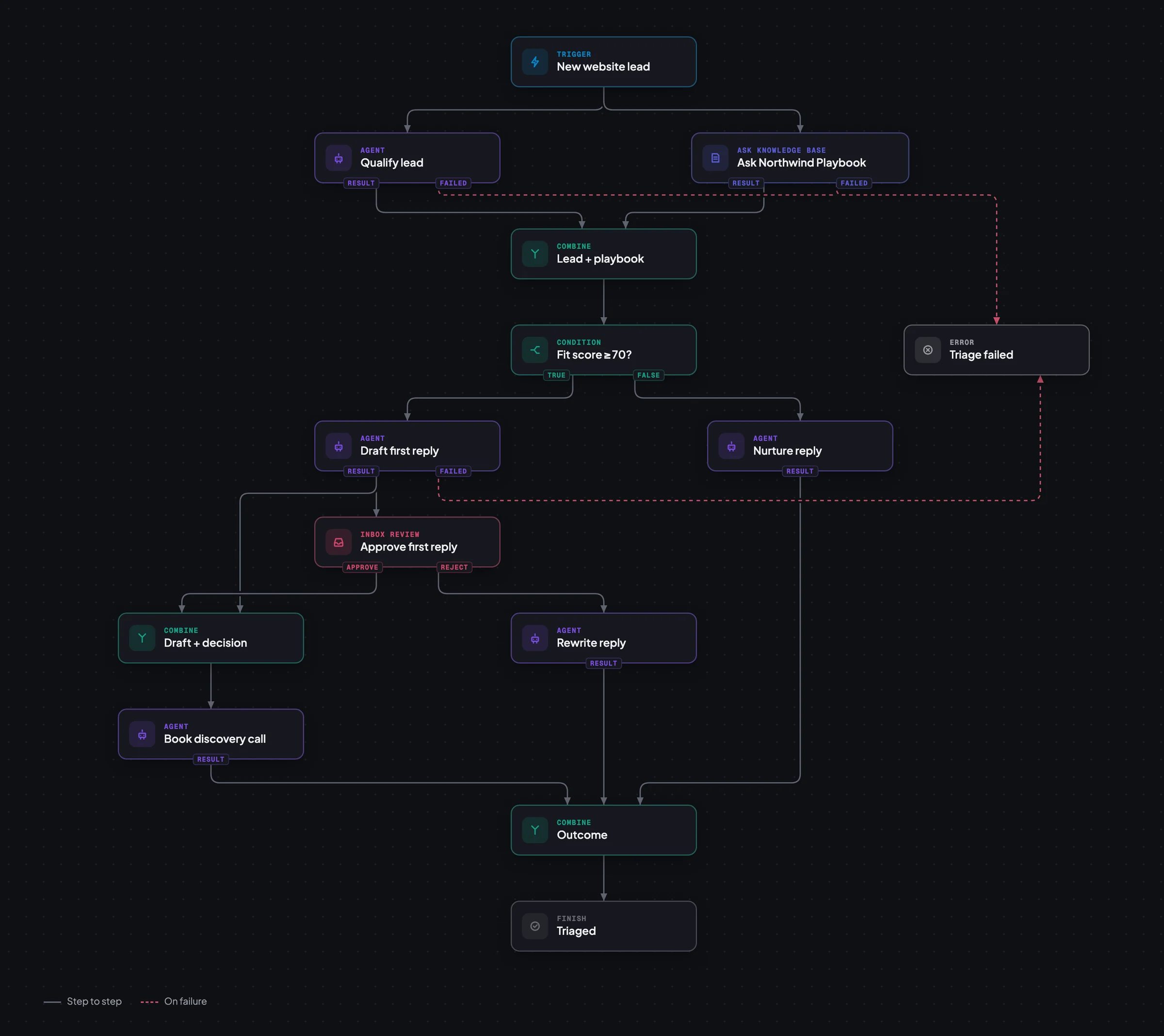
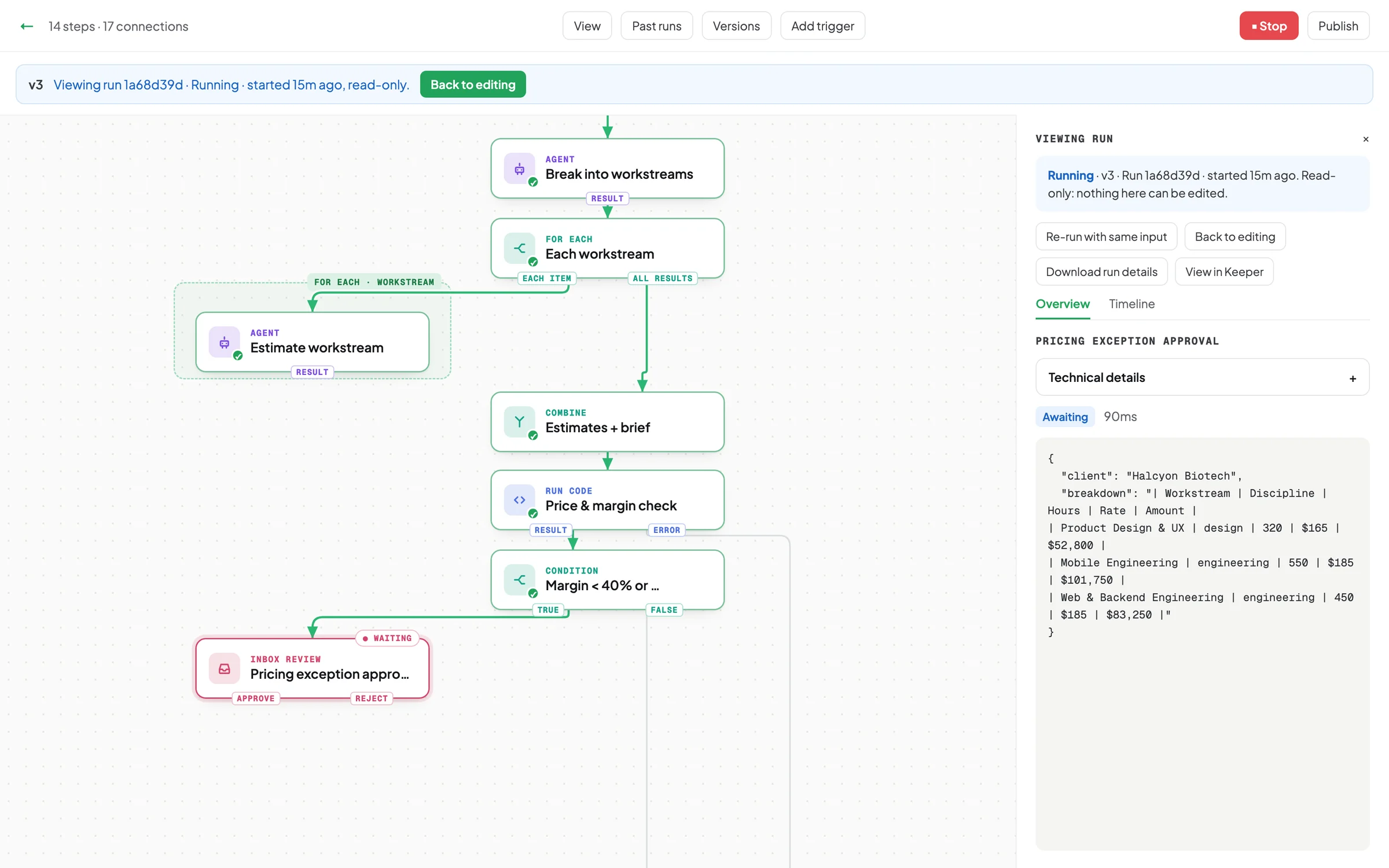
This lead triage workflow scores the lead, checks the playbook, then drafts or nurtures a reply, and one person approves every first reply before it leaves.
See What Is InsideWorkflows are versioned and published like software. Every run is kept step by step, and anything consequential stops in the inbox until someone decides.
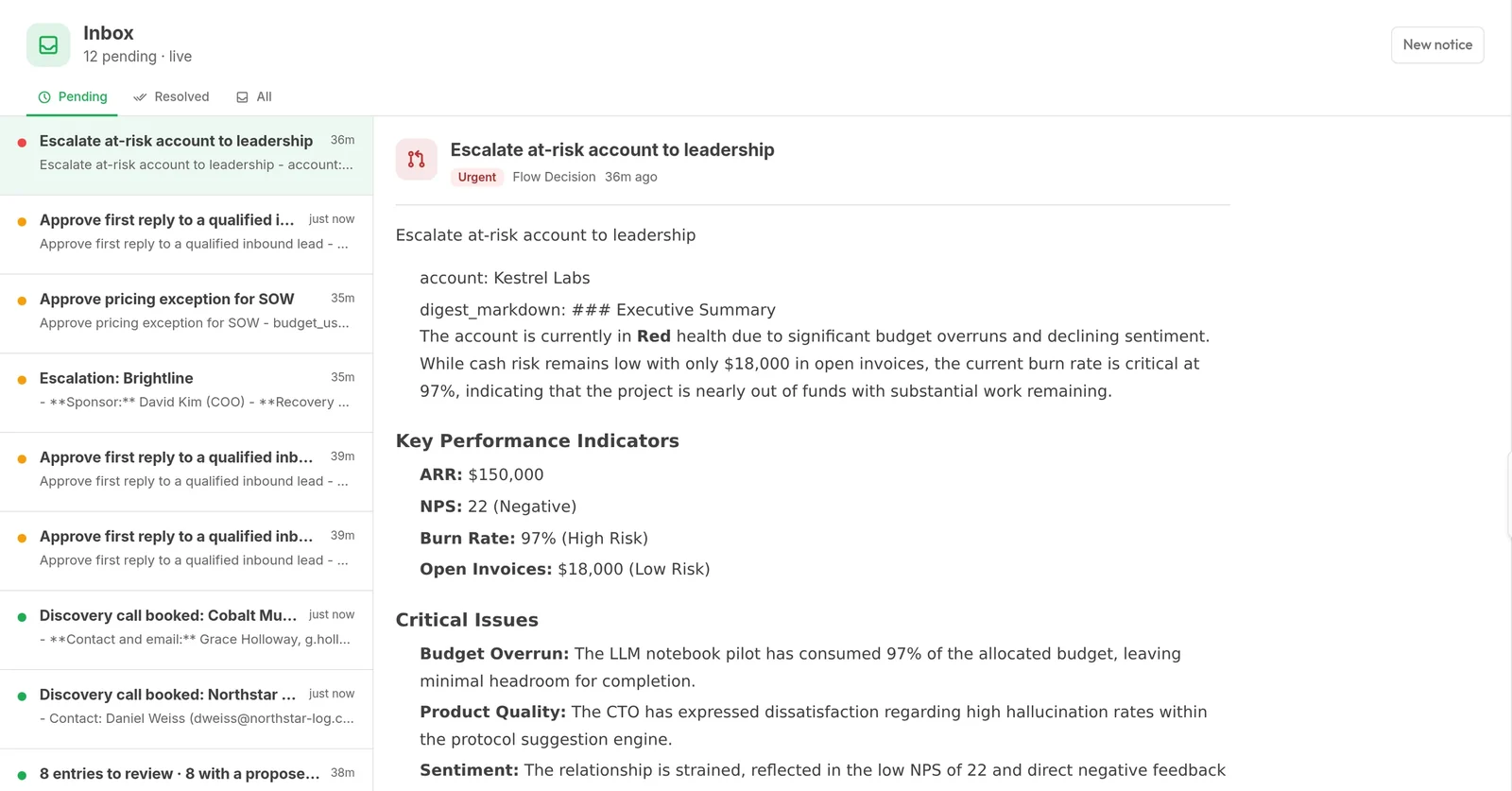
Deal-health alerts when something goes quiet, and drafts a person approves before they go out.
Internal Tools and OpsApproval inboxes, scheduled jobs, and connections to the systems you already run.
Regulated IndustriesOne copy per company, on your infrastructure, with a full record of what every agent did.
Everything elseTell us what you're trying to fix and which systems you already run.
What a module may touch is decided by you and checked on every attempt. Every install and every run leaves a record you can read, and so can your auditor.
Not there yet: signed, verified packages from our catalog, so you can tell a trusted module from an unknown one. Until then, a module from anywhere else installs fine and shows as unverified. Treat it the way you'd treat any code from the internet.
Run the whole application free on your own machine. It is not a trial, so nothing expires. If you need it hosted, across several copies or inside a regulated environment, we scope it with you.
The application is free and complete on a single instance you run yourself. Not a trial: it doesn't expire.
Install It, FreeHosted, connected across several copies, or deployed inside a regulated environment. It starts with a conversation rather than a checkout.
Get a Live DemoKickSide is an instance you own, where business software arrives when you ask for it and keeps running. Each company runs its own copy, on its own machine, server or cloud. What you or your AI tools build lives next to your real data, under permissions you set.
KickSide is free to self-host, and complete on a single copy. KickSide Cloud and Enterprise are quoted for your setup and start with a conversation.
No. Connect it and keep it. Start with the one thing HubSpot said no to.
It's source-available. You can change it, run it in production at any size, and fork it. You can't sell KickSide itself or host it for third parties who pay you for access. Building for clients, building your own modules and forking under a new name are all free. The license in plain language
No. Your data, private modules and synced history are not used to train models. The full security and privacy overview
Your software doesn't go with us. Your copy keeps running. It's on your machine, and nothing needs to check in with us to keep working. Each version keeps the license it shipped with.
A team of engineers who have been shipping production software since 2010. We run our own sales pipeline on KickSide, which is how a good deal of it got specified, and when you write to us you reach the people who build it.
Tell us what your business needs that no tool gives you. We'll show you how it would arrive in your own instance, live, and answer the technical questions you actually have.
This site is protected by reCAPTCHA. Form not loading? Email team@spiralscout.com.
Rather try it first? Install it in two commands.